I Was Out of Content Ideas, So I Built a Tool to Fix It: Meet Reels & Skills
I Was Out of Content Ideas So I Built a Tool to Fix It — Meet Reels & Skills 🎬✨
🎥 Content Ideas 🤐 Faceless Creator 🛠️ Free Tool 💡 Reels & Skills
📅 August 2026 · ☕ 9 min read · ✍️ ghall184
If you run a faceless page — or honestly any content account — you already know the real bottleneck isn’t filming, editing, or even posting. It’s staring at a blank notes app at 11pm trying to remember what you were even supposed to make a video about today.
That’s exactly the wall I kept hitting, so I built Reels & Skills — a free, interactive content idea generator made specifically for faceless creators who need a spark, not a whole content calendar overhaul.
Here’s what it is, how to actually use it, and how I’ve been working it into my own faceless content workflow across Gold Hour Music and Manifest Greatly.
What Reels & Skills Actually Does
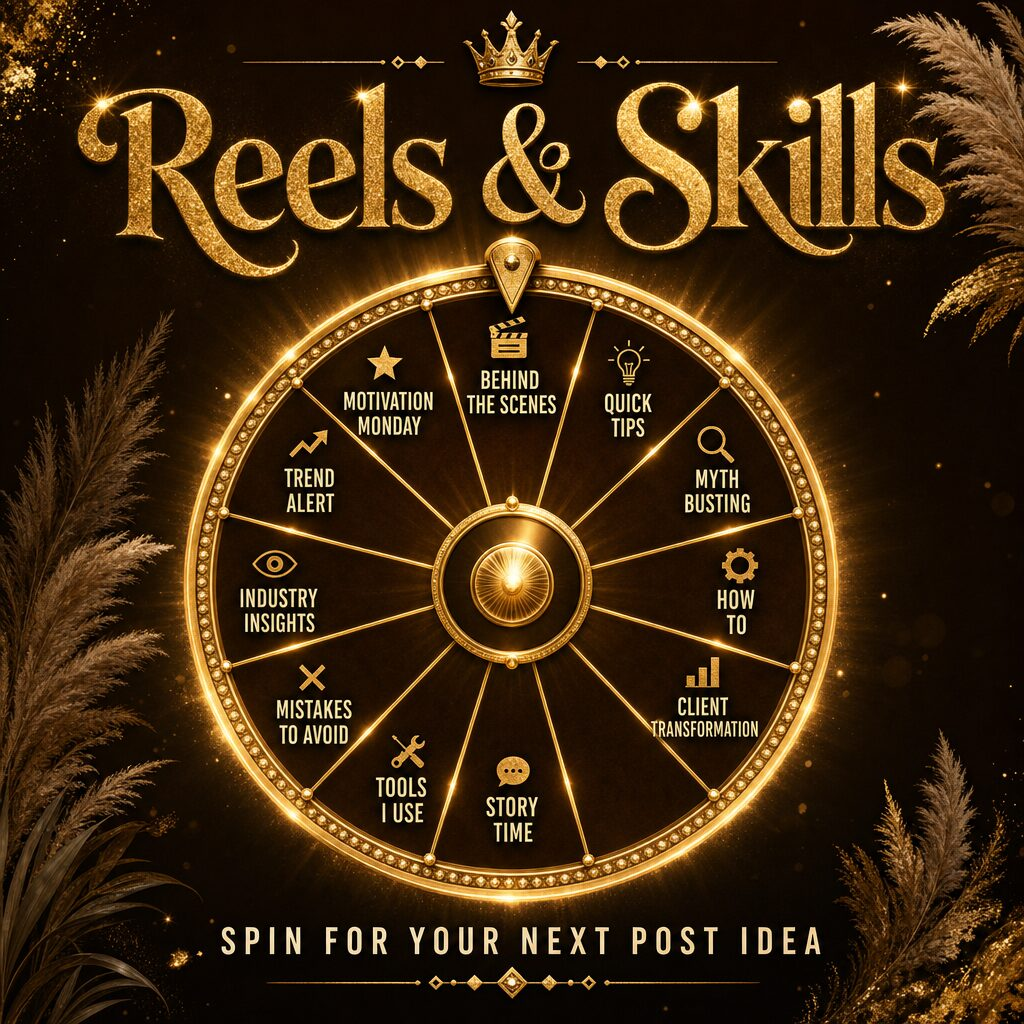
Reels & Skills is a spin-and-go idea picker. You open it, hit spin, and it hands you a content concept built for faceless formats — voiceover, text-on-screen, hands-only, B-roll, screen record, the formats that don’t require you to be on camera at all.
No login, no signup wall, no “enter your email to see your result.” You spin, you get an idea, you go film. That was the entire point of building it — the tools I kept finding online either wanted $19/month for a content calendar I’d abandon in two weeks, or they gave me generic “post consistently!” advice that doesn’t actually solve the “what do I post” problem.
Why Faceless Creators Specifically Need This
If you’re camera-off by choice — whether that’s privacy, comfort, or just liking the aesthetic of a faceless brand more — your content ideas have to work a little differently than a typical talking-head creator’s. You can’t just wing it in front of the camera and see what comes out. You need:
- A concept that translates to voiceover or text overlay without a face to carry the emotion
- Something that works with stock footage, screen recordings, or hands-only shots
- A hook strong enough to stop the scroll without a face doing the stopping
That’s the lane Reels & Skills is built for. Every idea it spins out is filtered through “could this actually work faceless,” not just “here’s a trending audio, good luck.”
How I Use It in My Own Workflow
I don’t treat this as a one-and-done idea generator — I use it as a batching tool. Here’s the actual process:
- Sunday content batching session. I spin through Reels & Skills 8-10 times and jot down every idea that doesn’t immediately feel wrong for the brand.
- Sort by channel. Some spins land better for Gold Hour Music (visual, moody, music-forward), others fit Manifest Greatly (text-on-screen, affirmation-style, lotus aesthetic).
- Batch film in one sitting. Since faceless formats don’t need outfit changes or camera setup between clips, I can knock out a week of content in one afternoon once I have the list.
- Recycle the ones I don’t use. Not every idea gets filmed the week it’s spun — I keep a running list in Notion and pull from it when I’m short on time.
If you’re managing more than one faceless page like I am, this batching approach is the difference between content creation eating your whole week and it taking one focused session.
Setting Up Your Faceless Content Station
If you’re building out a faceless setup for the first time, here’s the actual gear that makes hands-only, screen-record, and voiceover content look and sound clean without needing to show your face:
Ring light with phone mount — essential for hands-only or product-focused shots where lighting quality carries the whole video.
USB condenser microphone — if your content leans on voiceover the way faceless content often does, audio quality matters more than video quality. This is the upgrade that actually moves the needle.
Overhead phone mount for flat-lay shots — for hands-only tutorials, journaling content, or product demos shot from above.
Guided content planning notebook — I still like having a physical place to jot down spins from Reels & Skills before they make it into my digital batching list. Something about writing it down makes the idea stick.
As an Amazon Associate I earn from qualifying purchases — these are the exact categories of gear I use, linked to current options rather than one specific product, so you can pick what fits your budget.
Where This Fits Into a Bigger Faceless Strategy
Reels & Skills solves the ideation problem, but ideation is just one piece. If you’re building out a full faceless content business the way I have been, a few other posts on the blog cover the rest of the pipeline:
- I Started a Faceless YouTube Music Channel With Zero Followers — Here Is Exactly What I Did in Week One — the actual week-one breakdown of launching Gold Hour Music from scratch.
- The Only 5 Digital Products Worth Selling on Etsy Right Now in the Second Half of 2026 — if your faceless content is meant to funnel into digital product sales, this is where to start.
- How to Start a Print-on-Demand Business With Printify — Complete Beginner’s Guide — for turning faceless content momentum into a physical product income stream.
Try It Yourself
Reels & Skills is free, no login required, and built to spin out an idea in the time it takes you to open the app: reels-skill-spin.base44.app
If you use it, I’d genuinely love to know what it spins out for you — drop it in the comments, or tag it if you post the result. Half the fun of building this was not knowing what combination it would land on next.