🖨️ Print on Demand
💰 Side Hustle
🎨 Printify
🚀 Beginners
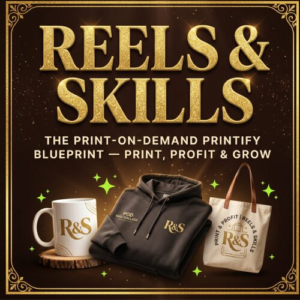
How to Start a Print-on-Demand Business With Printify in 2026 — Complete Beginner’s Guide 🖨️🚀
📅 August 2026·
☕ 14 min read·
✍️ Print on Demand · Printify · Side Hustle · Digital Products
Complete Beginner’s Guide · Zero Inventory Required · Start Today
You Do Not Need a Warehouse.
You Do Not Need Inventory.
You Need a Design and a Plan.
Print-on-demand with Printify lets you sell your own custom designs on t-shirts, mugs, hoodies, tumblers, and dozens of other products — with zero upfront cost, zero inventory, and Printify handling the printing, packing, and shipping for you. Here is the complete step-by-step guide to starting yours today. 🖨️🚀
900+Products to choose from
6Steps to your first sale
Print-on-demand is one of the last genuinely accessible ways to start a real product business with no money down. You are not buying 500 t-shirts and hoping they sell. You are not renting warehouse space. You are not packing boxes at midnight. You design something once — a phrase, a graphic, an illustration — and Printify prints it, packs it, and ships it directly to your customer only after they buy. You never touch inventory. You never lose money on unsold stock.
I have been building print-on-demand products for a while now — everything from World Cup themed shower curtains to NBA Championship tumbler wraps — and Printify has become the backbone of that entire side of my business. This is the complete beginner’s guide I wish I had when I started: every step, every decision, and every mistake to avoid, laid out clearly so you can go from zero to your first live product today. 🎨🚀
🎨 Start Your Printify Account — Free
Create Your Free Printify Account
and Start Designing Today
Printify connects to Shopify, Etsy, WooCommerce, and more — letting you sell custom-designed products with zero inventory and zero upfront cost. Sign up free and start building your first product in minutes.
🖨️ 900+ product options
🌍 Global print network
🔗 Connects to any store
✅ Free to start
🚀 Start My Free Printify Account →
The 6 Steps to Your First Printify Product 📋
Step 01
Create Your Free Printify Account and Explore the Catalogue
Head to
try.printify.com/kg5jomc5ek0n and create your free account — no credit card required to get started. Once inside, spend real time in the Catalog tab exploring the full range of blank products available. This is not just t-shirts anymore. Printify offers mugs, hoodies, phone cases, tumblers, tote bags, shower curtains, blankets, wall art, journals, and dozens more categories — each with multiple print providers, colours, and price points to compare.
💡 Pro tip: Before choosing your first product, check the print provider’s location and shipping times listed on each blank. Providers closer to your target customer base mean faster shipping and happier reviews — which directly impacts your store’s ranking on Etsy and other platforms.
Step 02
Choose Your Niche and Products Strategically
Do not try to sell everything to everyone. The most successful print-on-demand shops pick a clear niche — a specific audience, aesthetic, or theme — and go deep rather than wide. My own shop has found success with seasonal sports moments (World Cup, NBA Championship runs), specific aesthetic niches (boho, wildflower, luxury lifestyle), and occasion-based designs. Pick 1-2 clear niches and choose 3-5 product types that fit that niche naturally before you expand further.
💡 Pro tip: Tumblers, phone cases, and t-shirts tend to have the fastest sales velocity for new shops because they have broad everyday appeal and lower price points that reduce purchase hesitation for first-time buyers discovering your shop.
Step 03
Create Your Designs in Canva
You do not need Photoshop or a graphic design degree. Canva’s free plan is more than enough to create professional print-on-demand designs. Search Canva’s template library for your product type (mug design, t-shirt design, tumbler wrap) to start from a proven layout, then customise the colours, text, and graphics to match your niche. For 300 DPI print-ready files — essential for sharp, professional printing rather than blurry results — always export from Canva at the highest resolution setting available and double-check the dimensions match Printify’s exact template requirements for that product.
💡 Pro tip: Save every design at 300 DPI minimum. Anything lower will print blurry or pixelated, which is one of the fastest ways to get a bad review on a new shop. Printify’s design templates show you the exact safe zone and bleed area for each product — always design within those guides.
Step 04
Upload Your Design and Build the Product Mockup
Back in Printify, select your chosen blank product and click Design. Upload your Canva export directly onto the product template — Printify’s editor lets you position, scale, and preview your design on every colour and angle variant available for that product. Generate the mockup images Printify provides; these become your actual product photos in your store, so take time to select the mockups that look the most professional and appealing across every colour variant you plan to offer.
💡 Pro tip: Order a physical sample of your first product before launching it publicly. Seeing the actual print quality, colour accuracy, and product feel in person catches problems — placement, colour shift, sizing — that you cannot spot on a screen mockup alone.
Step 05
Connect Your Store and Price for Profit
Printify connects directly to Etsy, Shopify, WooCommerce, eBay, and several other platforms with a few clicks under the My Stores section. Once connected, publishing a product pushes it live on your store automatically with all mockups and variants included. For pricing, take Printify’s base cost per product, add your platform’s transaction and payment processing fees, and then set a margin — most successful print-on-demand sellers target a minimum 40-50% profit margin above the total cost to account for marketing spend, occasional returns, and platform fees.
💡 Pro tip: Round your final price to a psychologically friendly number ending in .99 or .95 rather than an odd number like $24.37. It sounds small but it measurably affects conversion rate on impulse-buy print-on-demand products.
Step 06
Market Your Products Where Your Audience Already Is
A beautiful product with zero marketing sells nothing. Pinterest is one of the strongest free traffic channels for print-on-demand — create pins linking directly to each product listing using your best mockup image and a keyword-rich description. Short-form video on TikTok and Instagram Reels showing the product in use, unboxing style content, and “get ready with me” style videos featuring your product also convert extremely well. If you have a blog like Opulence Source, write niche-relevant content that naturally links to your products — the SEO traffic compounds over time in a way paid ads never do for a bootstrapped shop.
💡 Pro tip: Post the same product photo at three different times of day across a full week on Pinterest rather than posting once and moving on. Pinterest’s algorithm favours accounts with consistent activity over accounts that post in bursts and go quiet.
Best Beginner Products to Start With 🎨
Not all products are equal when you are just starting out. Here are the products with the fastest sales velocity, lowest production cost, and most beginner-friendly design requirements:
👕T-Shirts
Fast seller · Easy design
☕Mugs
Low cost · High margin
🥤Tumbler Wraps
Trending · High demand
📱Phone Cases
Everyday appeal
🧥Hoodies
Higher price point
🖼️Wall Art
Passive design reuse
Real Pricing Example — What Profit Actually Looks Like 💰
Classic T-Shirt
~$11
$24.99
+$13.99
Ceramic Mug
~$6
$16.99
+$10.99
Tumbler Wrap
~$8
$21.99
+$13.99
Pullover Hoodie
~$22
$44.99
+$22.99
*Base costs vary by print provider, size, and colour selected. Always check current Printify pricing for your specific product before finalising your sell price.
🖨️ The biggest beginner mistake to avoid: Publishing 40 products across 10 different niches in your first week feels productive but actually hurts you. A scattered shop confuses both customers and the platform’s search algorithm about what you sell. Start with one clear niche, 5-8 well-designed products, and let those gain reviews and traction before expanding. Depth before width, every time.
“Print-on-demand does not reward the person with the most products. It rewards the person with the clearest niche, the sharpest designs, and the patience to let one good product find its audience before launching the next ten.”
🚀 Your First Product Is One Design Away
Stop Overthinking It.
Start Your Free Printify Account Today.
Every successful print-on-demand shop started with a single product and zero followers. Create your free account, upload your first design, and get it live in your store this week.
🖨️ 900+ product options
🔗 Connects to Etsy and Shopify
📦 Zero inventory risk
✅ Free to start
🚀 Start My Free Printify Account →
🎨 The Design Setup That Makes Print-on-Demand Faster — Shop Amazon
📖
Graphic Design for Non-Designers — Practical Guide
You do not need a design degree to create products that sell — but understanding basic principles of colour theory, spacing, and typography dramatically improves your conversion rate. This is the beginner-friendly reference I recommend for anyone starting their first print-on-demand designs in Canva.
🛒 Shop on Amazon →
💻
MacBook Air M-Series — Design Laptop
Running Canva, browser tabs full of research, and Printify’s design editor simultaneously needs a laptop that can keep up without lagging. The MacBook Air handles design work smoothly and the battery life means you can design from anywhere — coffee shop, couch, or on the go.
🛒 Shop on Amazon →
🖊️
Wacom Drawing Tablet — For Custom Illustrations
Once you outgrow templates and want to create fully original hand-drawn designs — florals, custom lettering, illustrated characters — a Wacom tablet gives you the precision control a mouse simply cannot match. This is the upgrade that separates generic template shops from shops with a genuinely unique visual signature.
🛒 Shop on Amazon →
💼 More Digital Income Content on Opulence Source
🎵 Digital Income · Faceless Content · Creator Tools
I Started a Faceless YouTube Music Channel With Zero Followers — Here Is Exactly What I Did in Week One 🎵✨
Print-on-demand is one income stream — this is the transparent breakdown of building a second one entirely from scratch using AI-generated music and zero camera time.
Read the Faceless YouTube Channel Guide on Opulence Source →
📈 Options Trading · Beginners · Free Tools
Options Trading for Beginners — The 7 Things I Wish Someone Had Told Me Before I Started on Webull
Building multiple income streams means diversifying beyond product sales. The honest lessons learned from starting options trading — including the free tools that make it easier.
Read the Options Trading for Beginners Guide on Opulence Source →
👗 Activewear · Fashion · Lifestyle
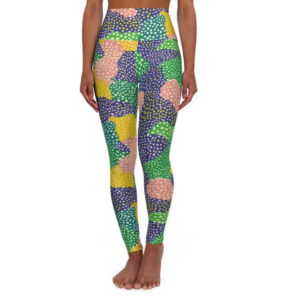
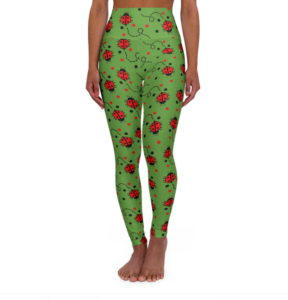
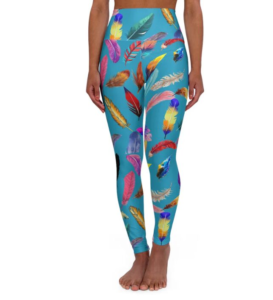
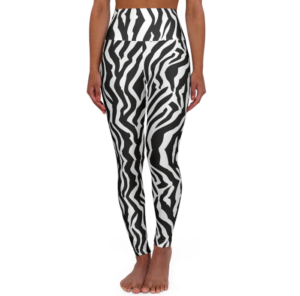
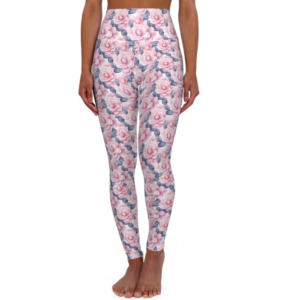
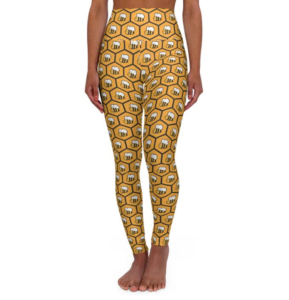
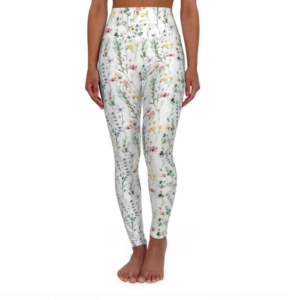
Touch Me Textures — Shop the Print Leggings Collection
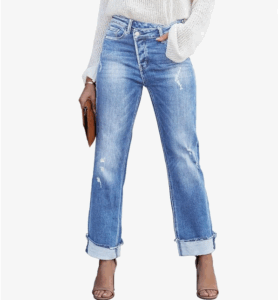
See print-on-demand principles in action — every legging print in the Touch Me Textures collection started as a design decision exactly like the ones covered in this guide.
Shop Touch Me Textures on Opulence Source →
🖨️ Are You Starting a Print-on-Demand Shop? Tell Me Your Niche!
Drop your niche idea in the comments — what are you planning to sell? And if you have already started your Printify journey, share what has worked and what hasn’t. Share this guide with anyone you know who keeps saying they want to start a side hustle but never takes the first step. 🎨🚀
#PrintOnDemand#Printify#SideHustle2026#DigitalProducts#EtsyShop#PassiveIncome#PrintifyTutorial#PODBusiness#StartASideHustle#CreatorEconomy
⚠️ Affiliate Disclosure: This post contains an affiliate link to Printify (try.printify.com/kg5jomc5ek0n) — if you sign up through this link I may earn a commission at no extra cost to you. This post also contains Amazon affiliate links using affiliate ID 4situations-20. As an Amazon Influencer I may earn a small commission on qualifying purchases at no extra cost to you. I only recommend products and platforms I genuinely use and believe in. All opinions are 100% my own.